Airborne FM radio trainer for iPad
Master the radio before you fly it.
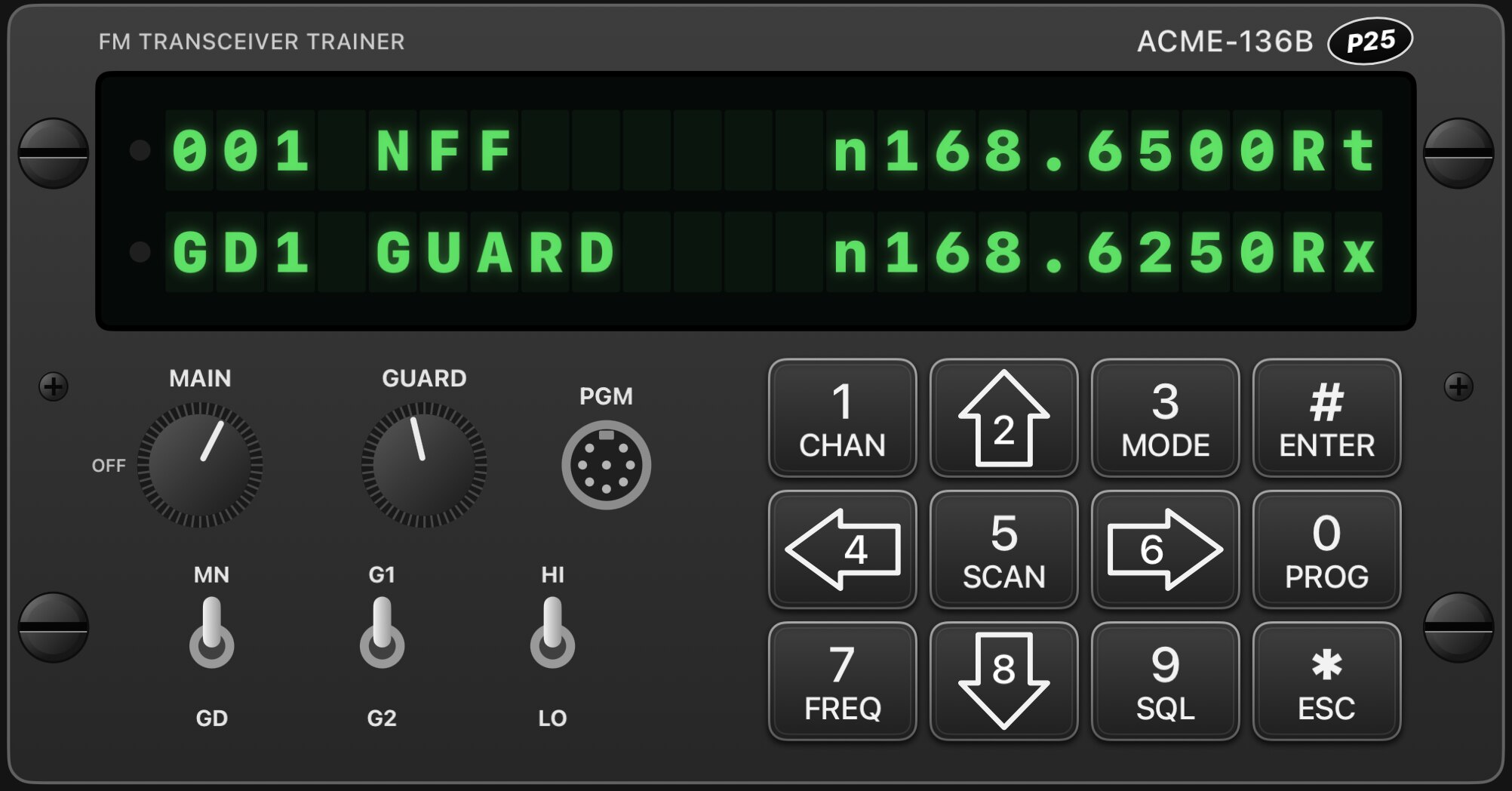
Airborne FM radios can be hard to program under pressure. FM One gives you a full radio panel to press, program and get wrong on the ground, for as long as it takes.
001 Training
From first look to muscle memory.
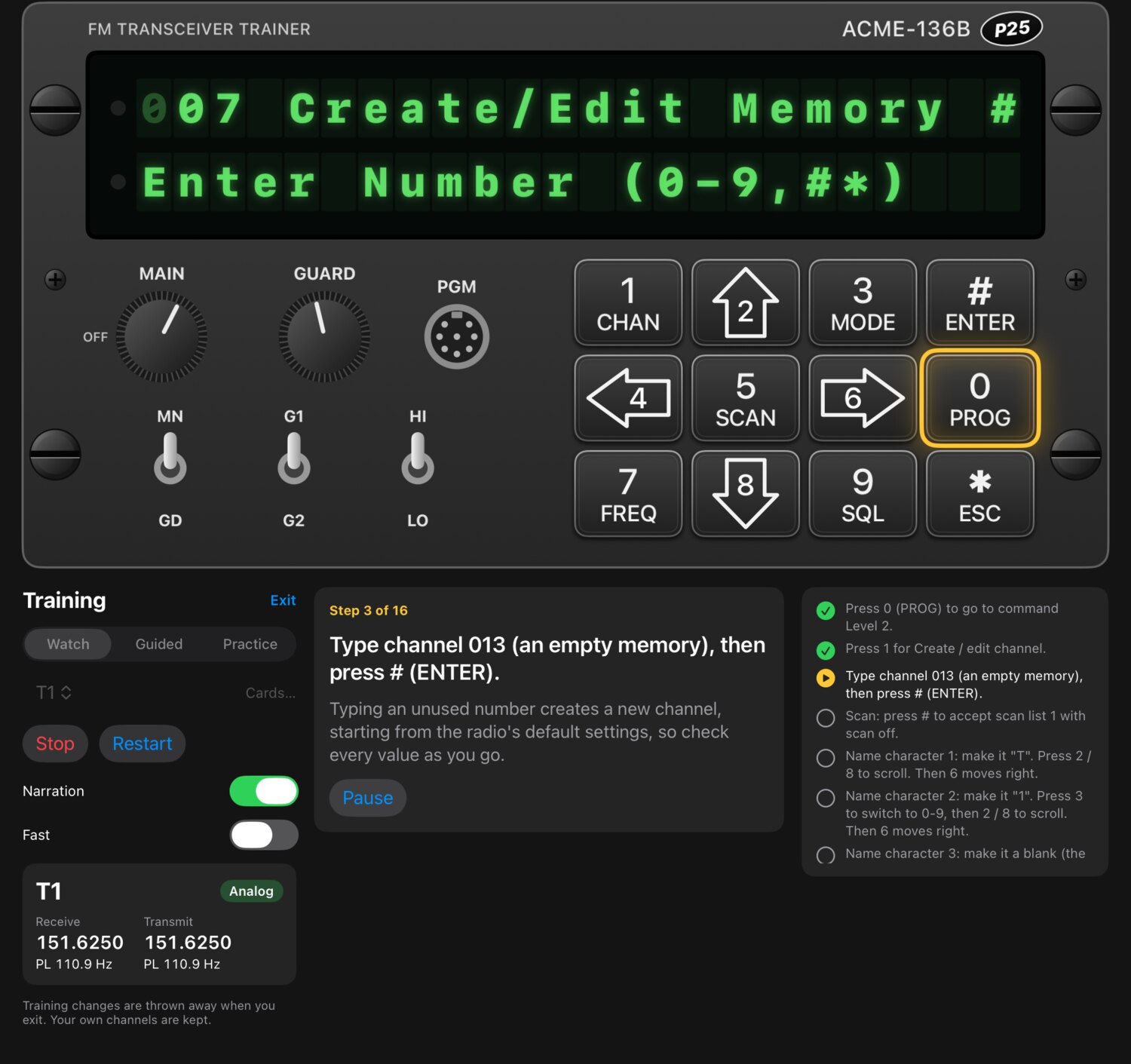
Pick a frequency card and work up in three steps. Each one takes away a little more help, until you can program a channel on your own.
Watch
The trainer presses every key itself and explains why, with optional narration.
Guided
Now your hands are on the keypad, with the next key highlighted at every step.
Practice
No highlights. You're timed and scored, then get a debrief on how it went.
002 Learn
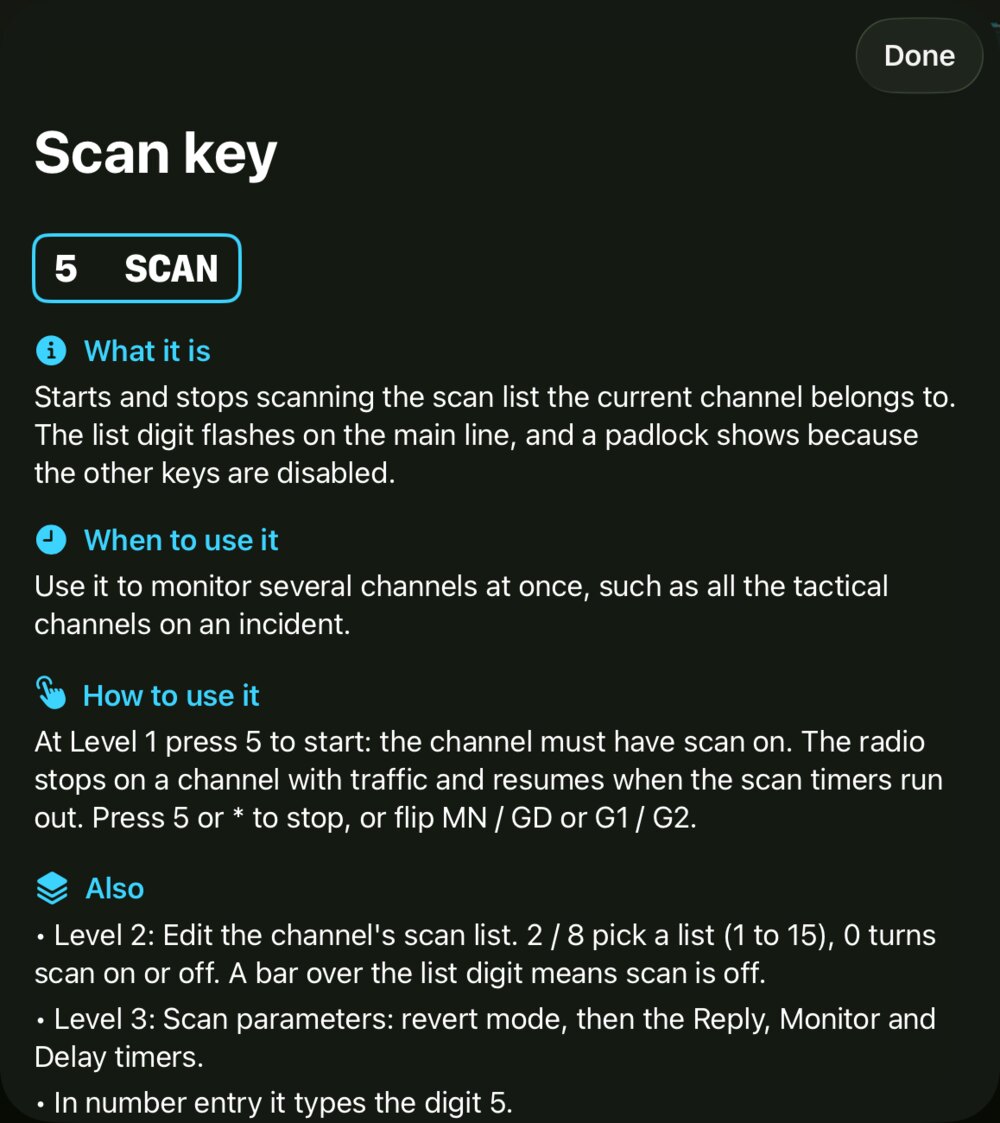
Tap anything. Understand it.
Turn on Learn mode and every key, knob and switch explains what it does, when to use it and how. There's no hunting through a manual to find out what SCAN does at Level 2.
003 Coach
A coach for whatever's on the screen.
Coach mode watches the radio with you. A callout explains what the display means right now and which keys you can use next, so an unfamiliar screen doesn't stop you.
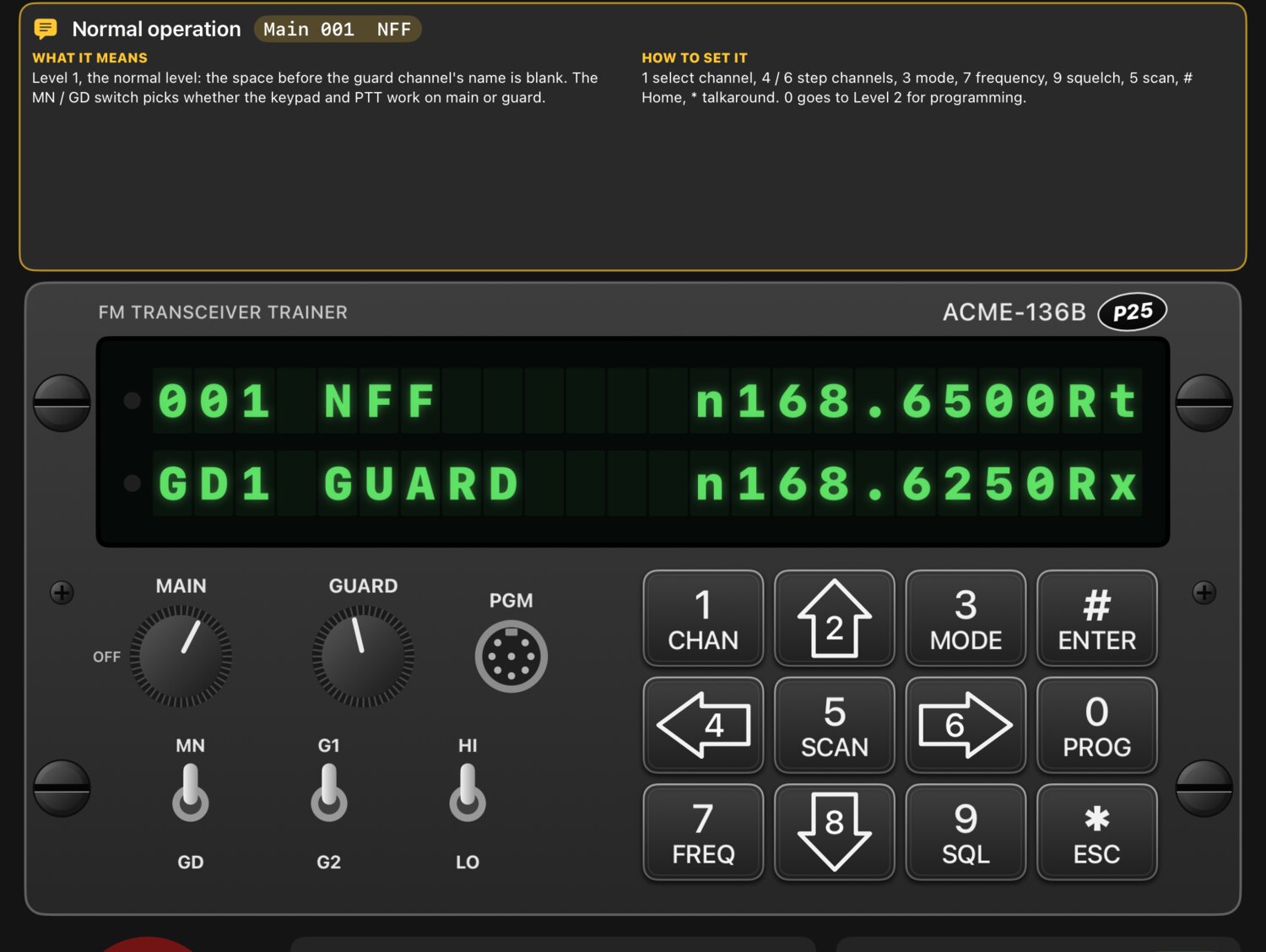
004 Radios
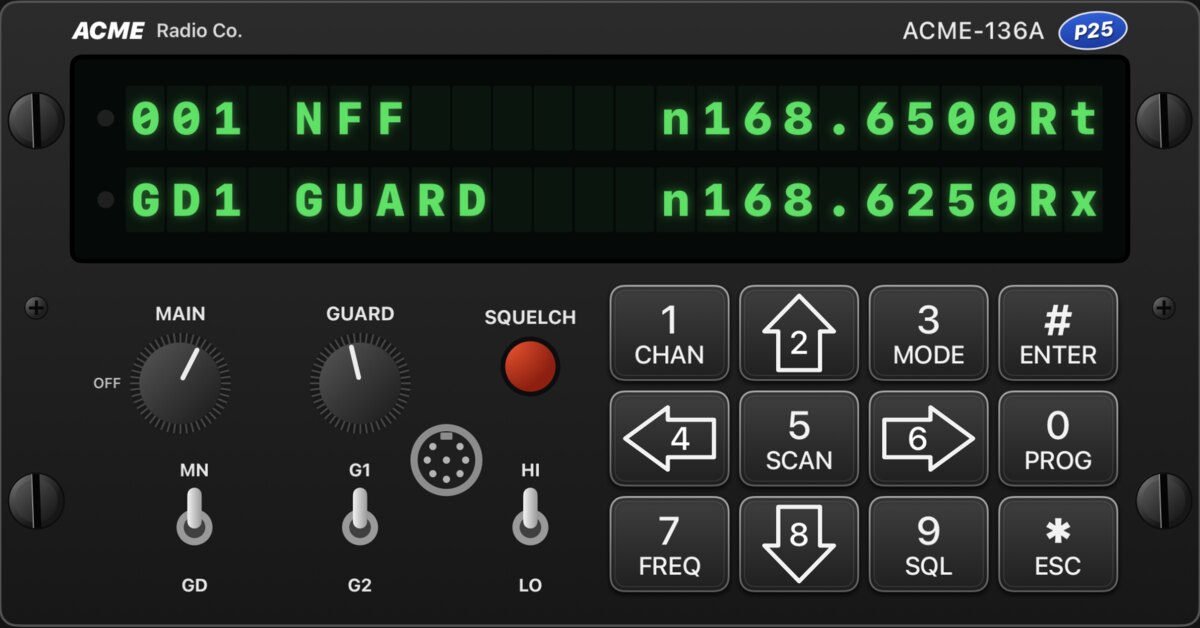
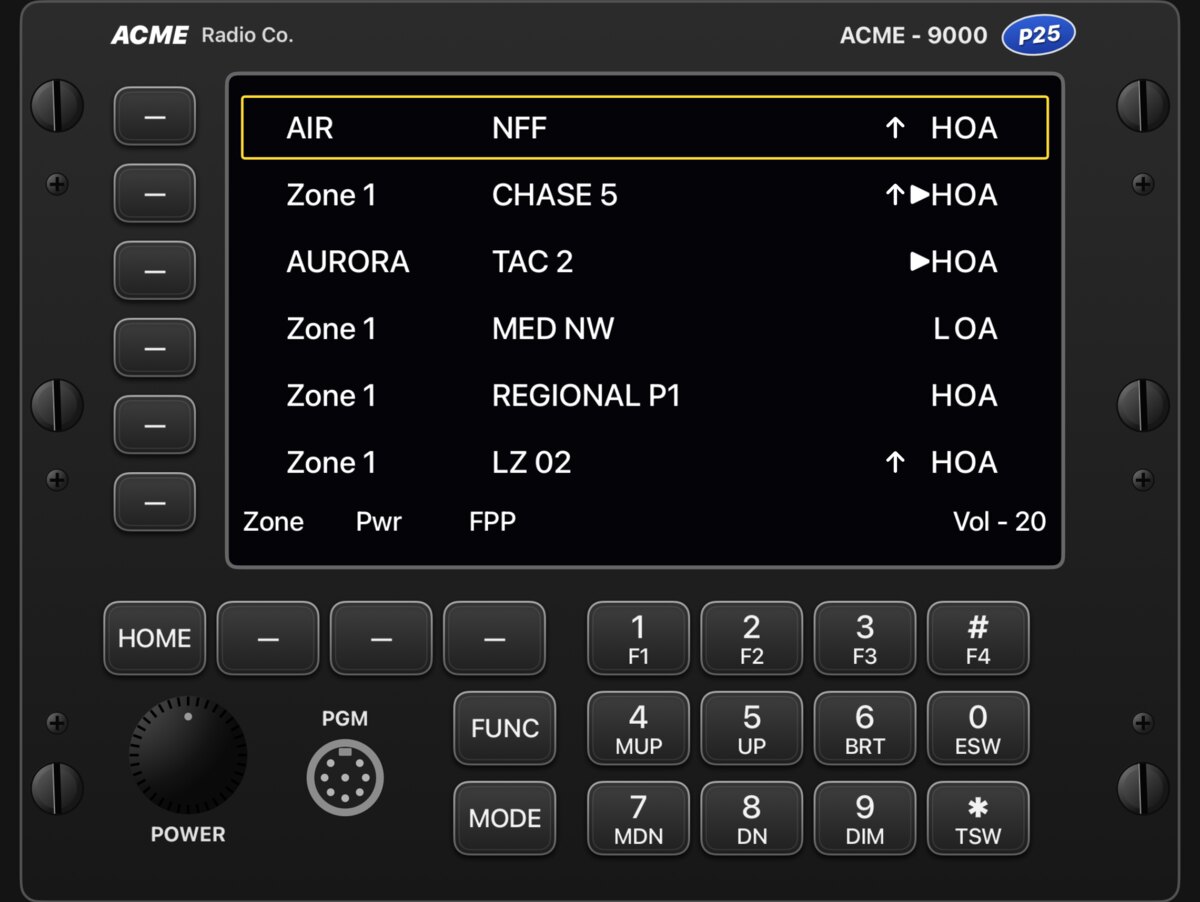
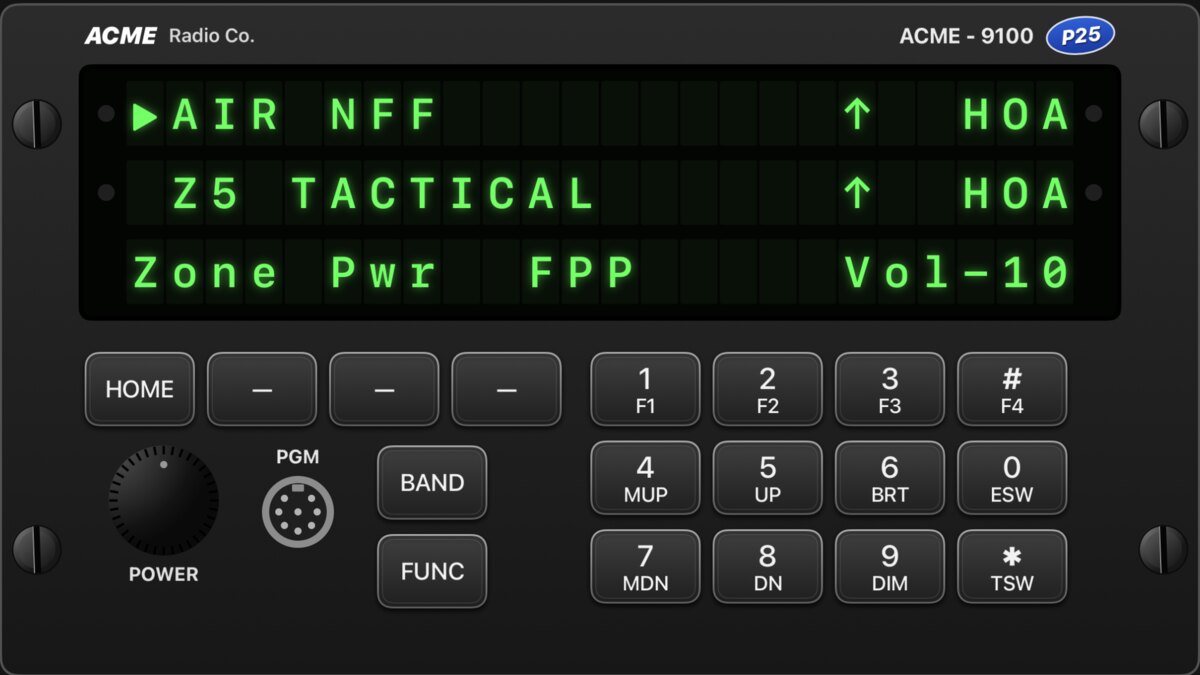
Four panels. Every one hands-on.
Each radio has its own display, keys, menus and lessons, built from published manufacturer operating instructions. Switch between them from the radio menu.
005 Field tools
Still useful after the lesson.
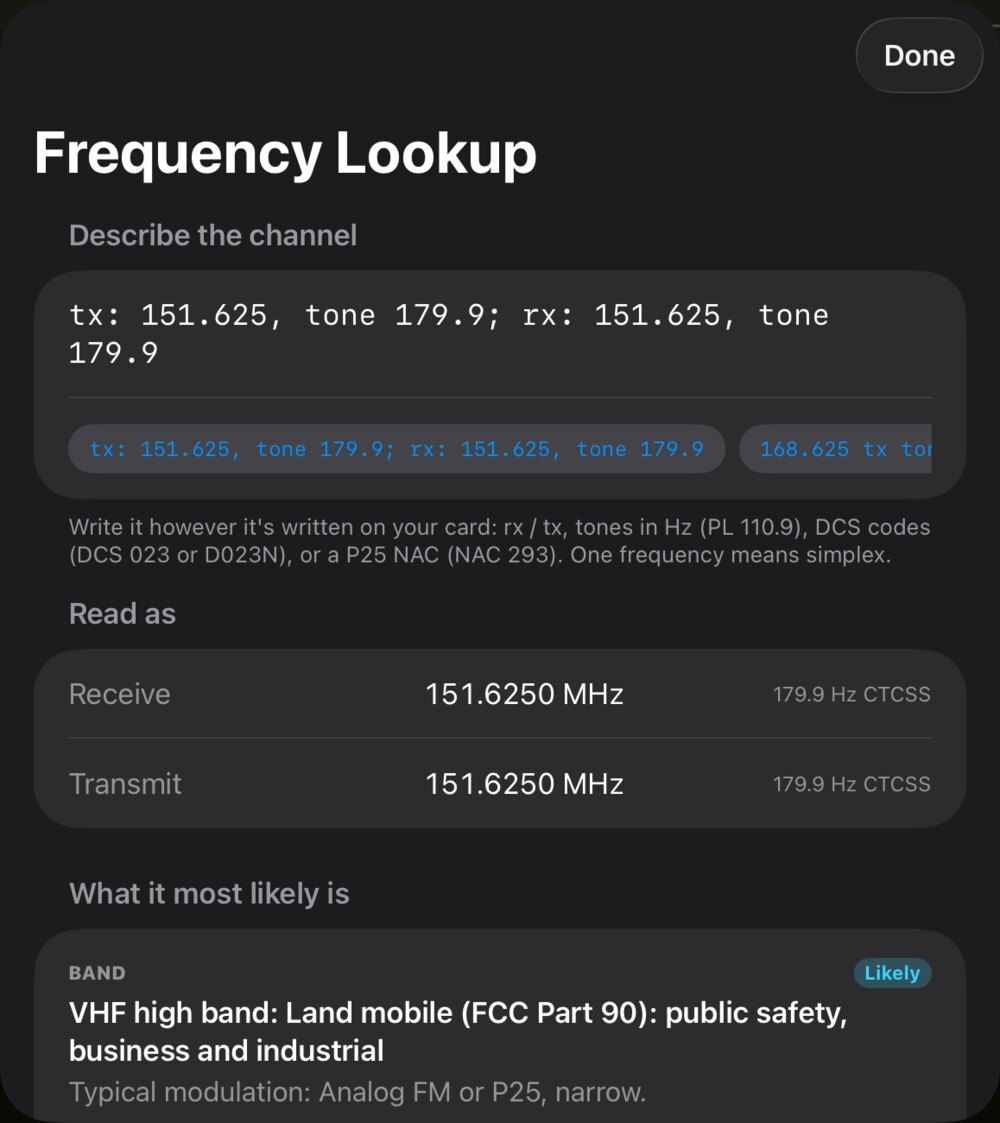
Type a frequency, tone or NAC the way it's written on your card, and Frequency Lookup reads it back and tells you what kind of channel it most likely is.
- Six guided troubleshooting walk-throughs, from "they can't hear me" to garbled digital audio
- A Library of links to published manuals and guides
- Your own frequency cards, ready to use in lessons
006 Yours
Your channels stay yours.
Saved on your iPad
Channels and cards you add stay put. Lessons run on a scratch copy, so training never changes them.
Easy to share
Send your whole setup to another FM One user with AirDrop, Messages or Mail, or keep a backup in Files.
Private by design
No account, no ads, no analytics and no tracking. The app collects no data at all. Read the policy.
Show up knowing your radio.
FM One is coming soon to iPad. Questions or ideas in the meantime? Email fmoneapp@gmail.com.